If you don't know the specific prompting techniques for Seedance 2.0 you will generate slop, every single time, regardless of how creative your idea is or how much you're paying per generation...
the model has its own language for camera, lighting, motion, and constraints, and typing normal english descriptions into the prompt box is like speaking french to someone who only understands japanese
this is the complete reference for that language: every camera keyword, every lighting modifier, every constraint that actually works, and the exact 5-layer structure that turns the same $0.60 generation from stock footage into something that stops a scroll
the framework comes from hundreds of generations, the official volcengine documentation, every higgsfield and yaroflasher tutorial worth watching, and the community techniques that have been confirmed to actually produce results... compressed into the only tab you need open while you're generating
the full seedance 2.0 setup
if you want the complete walkthrough for setting up seedance 2.0 from scratch, getting access, configuring your first generation, and understanding the platform options, i'm covering all of that inside my community at weeklyaiops.com...
this article focuses on the prompting system itself, but the setup guide lives there with video walkthroughs and the workflows i use daily
what you're actually working with
seedance 2.0 is a multimodal film set, not a text-to-video box, and the distance between those two things is the distance between typing a google search and directing a $50,000 commercial
in a single generation you can feed it:
- up to 9 reference images (character sheets, mood boards, product photos, storyboard panels)
- up to 3 video clips (camera motion reference, choreography, pacing)
- up to 3 audio tracks (voiceover, music, sound effects)
- plus your text prompt

that's 12 reference files processed simultaneously through a dual-branch diffusion transformer that generates video and audio in one inference pass, not stitched after the fact, not two pipelines bolted together...
one pass, synchronized video with dual-channel stereo audio, lip-synced speech across 8+ languages (english, mandarin, japanese, korean, spanish, french, german, portuguese, and chinese dialects), background music, and foley
output runs from 4 to 15 seconds per generation at up to 1080p resolution, with dual-channel stereo audio synchronized in the same pass
sora 2 takes text and images, kling 3.0 takes text and images, veo 3.1 takes text and images...
seedance takes all four modalities at once, and on higgsfield you get a generous number of generations in a suite where you can also run kling, veo, sora, and 30+ other models side by side, which means you can compare the same prompt across models in one place and actually see what seedance does differently
if you're only typing text into the prompt box you're using around 15% of the tool while paying the same price as someone using all of it
the 5-layer prompt stack
the official volcengine documentation lists a 6-element formula but community testing has compressed it to 5 layers that consistently outperform longer and looser prompts:
subject > action > camera > style > constraints
the ordering carries weight... subject first pins the model to a center of gravity so it doesn't split attention across competing elements, action second provides the kinetic anchor (the thing that must move even if everything else shifts), camera third locks framing before the model re-decides the lens every few seconds, style late in the stack adds visual flavor without hijacking motion, and constraints last act as guardrails that close whatever gaps the other four layers left open
layer 1: subject
specificity in the subject line is genuinely load-bearing
bad: "a woman" better: "a young woman with brown hair" best: "a woman in her late 20s, tight dark curls at ear length, small silver hoop in left ear, wearing a fitted black turtleneck, neutral expression"
every identity marker you provide is one the model doesn't hallucinate... hair length, clothing texture, posture, accessories, skin detail all drift when you leave them unspecified because the model fills gaps with whatever its training data averaged to, which is always generic
one subject per generation is the safest path, two characters work if you keep them spatially separated and tag them individually as @Character_A and @Character_B, three or more is where the coin stops landing in your favor

layer 2: action
what happens, present tense, one primary movement per shot... and this is where 90% of prompts collapse because people write states instead of directions
bad: "she looks happy and is enjoying the sunset" good: "she slowly turns toward the camera, breeze lifting the hem of her skirt, eyes narrowing against the light"
one gives the model a photograph to approximate, the other gives it a sequence to execute, and the quality gap is enormous
the rule that almost nobody follows: separate subject movement from camera movement, every time...
"spinning camera around a dancing person" is a single instruction where the model can't tell who's supposed to spin, but "the dancer spins slowly, camera holds fixed framing" splits the ambiguity into two clear directives and eliminates the majority of shaky, chaotic output that people keep blaming on the model
layer 3: camera
seedance treats camera direction as a first-class conditioning signal, which is where it separates from everything else on the market
one primary camera movement per generation, describe rhythm (slow, smooth, gentle) rather than technical specs... t
he official guide discourages f-stop values, ISO numbers, and exact millimeter specifications because the model responds better to descriptive language than to camera metadata
the complete keyword library:
static shots:
- fixed or locked-off for zero camera movement
- static wide for a wide unmoving establishing shot
- locked tripod, zero camera shake when ambient jitter persists
movements:
- push-in / dolly in moves camera toward subject... tension, emphasis, emotional close-ups
- pull-out / dolly out moves camera away... environmental reveals, context
- pan left/right is horizontal rotation in place... scanning, following action
- tracking shot / follow moves alongside the subject... action sequences
- orbit / arc / 360 orbit circles the subject... product showcases, portraits, hero moments
- aerial / drone shot for high altitude... landscapes, establishing geography
- handheld introduces natural shake... documentary feel, UGC authenticity
- crane up/down for vertical ascent or descent... dramatic height reveals
- gimbal creates smooth stabilized motion... polished cinematic, distinct from handheld
- steadicam walk for smooth forward motion following a character through space
- whip pan is a rapid horizontal sweep... urgency, scene transitions
- dolly zoom creates the hitchcock vertigo effect where subject stays the same size while background warps
- rack focus shifts focus between foreground and background planes to redirect attention
speed modifiers:
- imperceptible / barely for extremely slow, almost unnoticeable movement
- slow / gentle / gradual is the safest starting point and the default recommendation
- smooth / controlled for natural rhythm
- dynamic / swift for high impact... use with extreme caution
the word "fast" specifically is the most dangerous keyword in seedance prompting because combining fast camera + fast subject + busy scene almost guarantees jitter and compression artifacts... the fix is making only ONE element fast while holding everything else steady

if you want compound camera movement, sequence it rather than stacking it: "start: slow dolly-in, then: gentle pan right for the final 2 seconds" gives the model two clear temporal phases instead of two competing instructions fighting each other in the same clause
layer 4: style
lighting, color grading, film references, atmosphere
lighting descriptions have the single biggest impact on video quality among all prompt elements according to the official volcengine guide, bigger than style adjectives, bigger than quality modifiers, bigger than resolution requests...
if you only add one element to a weak prompt, make it a lighting description
lighting keywords that consistently produce:
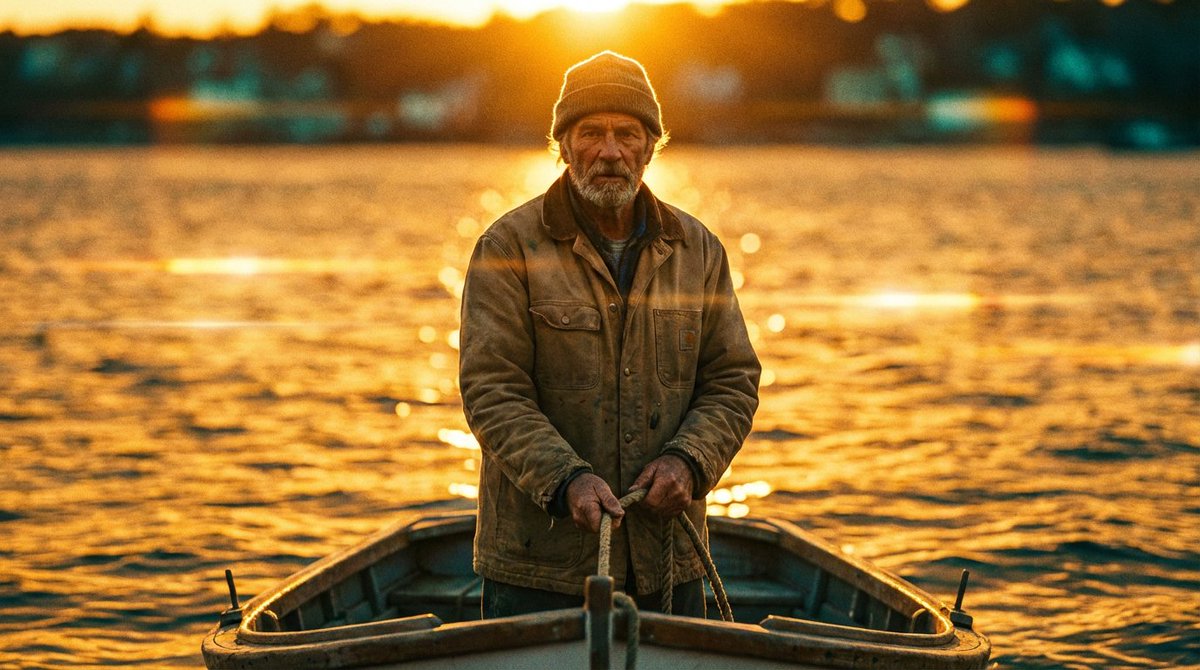
- golden hour is the single highest-quality-per-word improvement you can add
- rim light / dramatic rim light against dark background creates cinematic edge separation
- soft key from 45 degrees is flattering talking-head lighting
- overcast daylight / even overcast diffused light eliminates flicker in bright scenes
- backlit silhouette at sunset for dramatic mood
- motivated lighting from practical source creates realism with the light source visible in frame
- volumetric fog adds atmospheric depth, pairs with backlit setups
- chiaroscuro for high-contrast lighting in the godfather mold
color grading:
- teal and orange for classic hollywood
- bleach bypass for desaturated, gritty, high-contrast texture
- warm tone / amber-tinted for nostalgic feels
- crushed blacks for deep cinematic shadow loss
- pastel for soft anime or fashion aesthetic
film references as style anchors:
- cinematic film tone, 35mm is the most reliable all-purpose anchor
- 16mm film, handheld camera for raw indie aesthetic
- anamorphic lens flare for widescreen cinematic
- national geographic quality for nature documentary
- documentary-style handheld framing for observational realism
"cinematic" alone produces nothing predictable because the official guide calls it "too vague"... cinematic film tone, 35mm, warm golden lighting gives the model three intersecting constraints, cinematic by itself gives it permission to do whatever it wants
and a subtler trap: words like "glow," "glimmer," and "glints" invite specular flicker artifacts, so replace them with steady intensity or diffuse when you want soft light without temporal instability
layer 5: constraints
the guardrails, and the layer that separates AI-looking video from video that passes
essential constraints for every character prompt:
- avoid jitter prevents screen shaking
- avoid bent limbs prevents distorted arms and legs, use in every character prompt without exception
- avoid identity drift prevents character features changing between shots
- avoid temporal flicker prevents frame-to-frame brightness oscillation
- no distortion, no stretching maintains geometric stability
- maintain face consistency preserves face identity across cuts
the community quality suffix to append to every generation:
sharp clarity, natural colors, stable picture, no blur, no ghosting, no flickering
inelegant and measurably effective... the model reads positive constraint statements more reliably than negative prompt syntax, so "avoid X" and "maintain Y" outperform listing negatives
keywords that actively degrade output
these look helpful and they're not:
- "fast" (unqualified) causes the model to accelerate everything simultaneously... name which single element moves fast and hold the rest steady
- "cinematic" (alone) gives the model nothing to work with... always pair it with texture, lighting, or a film reference
- "epic" has no visual meaning to a diffusion model
- "amazing" / "beautiful" / "stunning" are feelings, not instructions, and the model can't render an adjective
- "lots of movement" triggers jitter across the entire frame... name one specific movement
- "glow" / "glimmer" / "glints" create specular flicker... use steady intensity or diffuse instead
the principle underneath all of these: if a word describes how the viewer should feel rather than what the camera should see, the model has to guess what visual would produce that feeling, and it guesses wrong

time-coded multi-shot prompting
you can direct individual shots within a single 15-second generation by writing timestamps into the prompt, and this is where seedance becomes something genuinely different from every other model
two formats work:
format A (range brackets):
[0-4s]: wide establishing shot, static camera, misty bamboo forest at dawn, golden hour light filtering through leaves [4-9s]: medium shot, slow push-in, the fighter steps forward, white silk kimono billowing, determined expression [9-15s]: close-up, orbit shot, the fighter strikes, slow motion, impact visible in the fabric ripple
format B (parenthetical seconds):
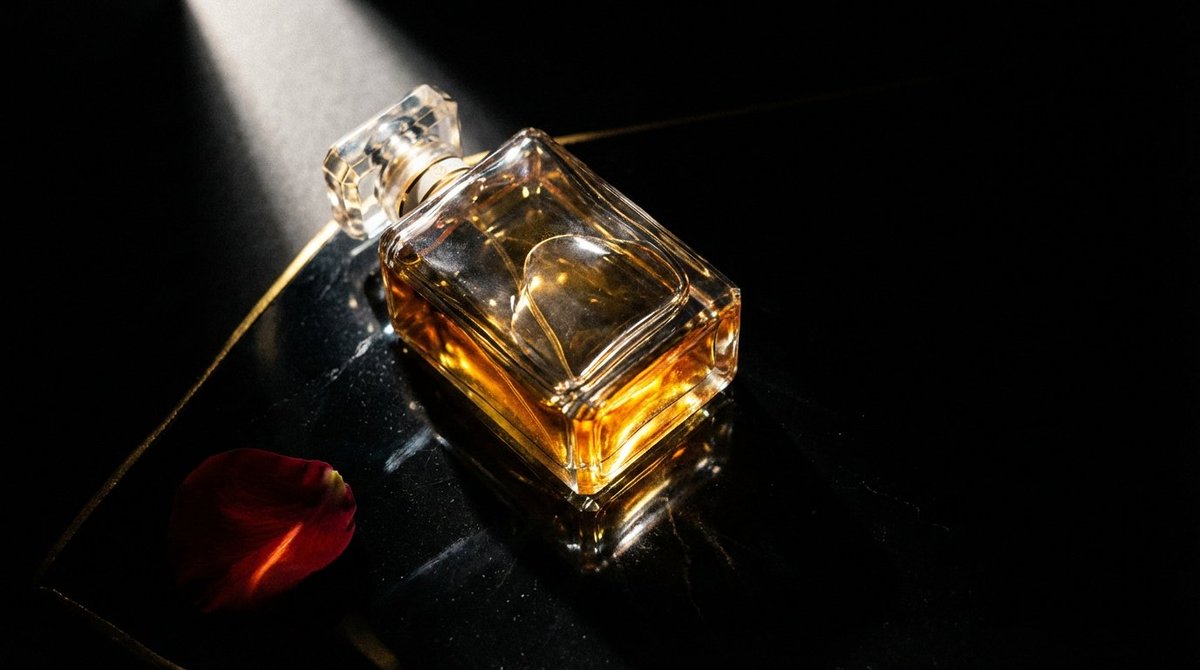
(0-3s) macro shot of perfume bottle among pink flowers, shallow depth of field, petals floating (3-7s) camera glides closer, a feminine hand enters frame, touches the bottle (7-12s) slow-motion spray, mist diffuses in air, particles catching rim light (12-15s) pull-out to hero frame, product centered, volumetric lighting, minimal background
each shot should specify camera position, subject action, and lighting state, and transition language between shots ("hard cut to," "seamless morph into") gives the model explicit cut instructions rather than letting it improvise...
if you're doing this on higgsfield you can queue up multiple variations of the same time-coded prompt and compare the outputs side by side, which is the fastest way to dial in the pacing
the 15-second climax arc template:
[0-4s]: wide shot, static, world established, ambient sound [4-8s]: medium shot, slow push-in, tension building, subject prepares [8-12s]: close-up, emotional peak approaching, one specific detail in sharp focus [12-15s]: extreme close-up or dramatic reveal, climax action, slow motion or static hold, silence
wide > tighter > tight > closest
the universal escalation pattern in filmmaking mapped directly onto a 15-second generation window
the @ reference system
the people getting outputs that don't read as AI are uploading 6 to 12 reference files and tagging every one with a specific role in the prompt... the difference between typing text and directing a production lives entirely in this system

the syntax:
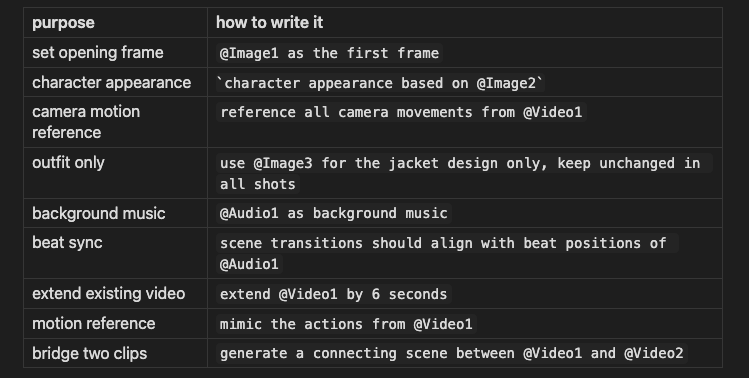
every uploaded file needs an explicit role in the prompt... an image without an @ tag gets processed ambiguously, and ambiguity in a diffusion model produces averaging, which is the visual equivalent of mush
the first-last frame technique is the most underused shortcut in the model... upload your desired first frame as @Image1 and your desired last frame as @Image2, describe what happens between them, and seedance interpolates coherent motion connecting the two endpoints with no storyboarding or multi-step pipeline
5 prompts you can run right now
graduated from simple to full multimodal production
1 - the talking head (UGC)

2 - the product her
3 - the cinematic scene
4 - the action sequence (time-coded)
5 - the full multimodal production
@Image1 as character reference (maintain exact facial features and outfit) @Image2 as environment reference (match lighting and color palette) @Video1 for camera motion reference (replicate the slow orbit movement) @Audio1 as background music (sync scene transitions to beat positions)
the iteration rule
generate 2 to 3 baseline options with your prompt, then change one variable... the camera, the lighting, the speed modifier, one thing
score each generation for continuity and adherence, keep the best version, change one more variable
the instinct after a failed generation is to rewrite the entire prompt while changing subject and camera and style and lighting simultaneously, which means you can never isolate what helped and what hurt because the next failure has entirely different causes...
controlled iteration with one variable per pass is slower per cycle but converges faster, which is the same principle that makes A/B testing work better than redesigns
if movement is too subtle, drop "dynamic motion" or "vibrant energy" at the start of the prompt...
these act as global intensity modifiers that amplify whatever motion you've specified without introducing new movement types
this is where running iterations on higgsfield pays off the most, because you can test 3-4 variations of the same prompt with one variable changed and see all the outputs in the same workspace without switching tabs or losing track of what you already tried
conclusion
seedance 2.0 is the most capable multimodal video model available right now, and the distance between what it can produce and what people are actually getting out of it comes down almost entirely to prompt architecture...
the 5-layer stack, the keyword library, the constraint system, and the @ reference tags covered in this article are the complete toolkit, and every section above is designed to be something you come back to mid-generation when you need to look up a camera keyword or debug why your output looks wrong
bookmark this, keep it open in a tab, and use it as a working reference rather than something you read once
thank you to higgsfield for sponsoring this article