A step-by-step guide to cloning viral formats using Codex GPT-5.5 + ChatGPT Images 2.0 + Pinterest + Postiz
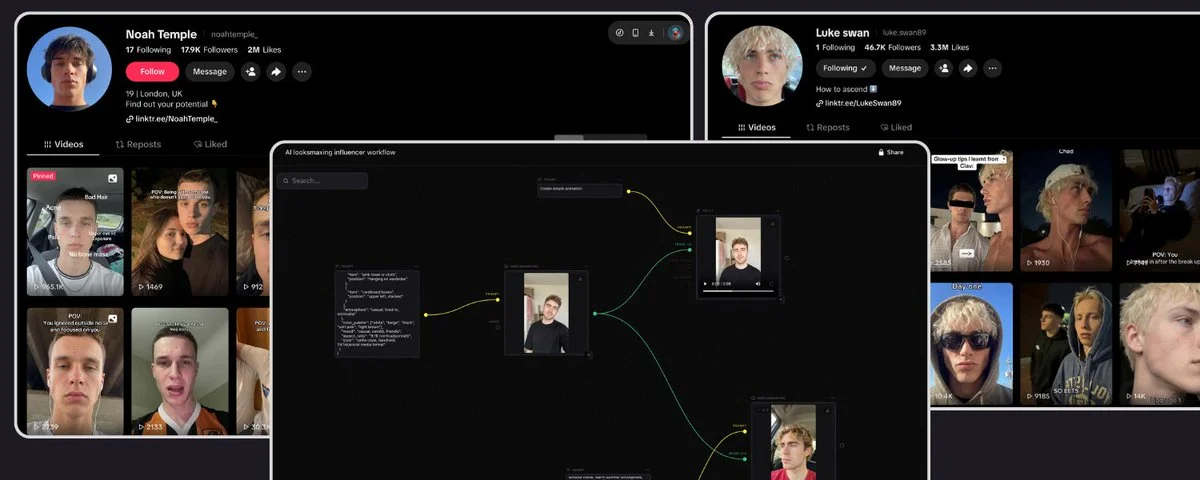
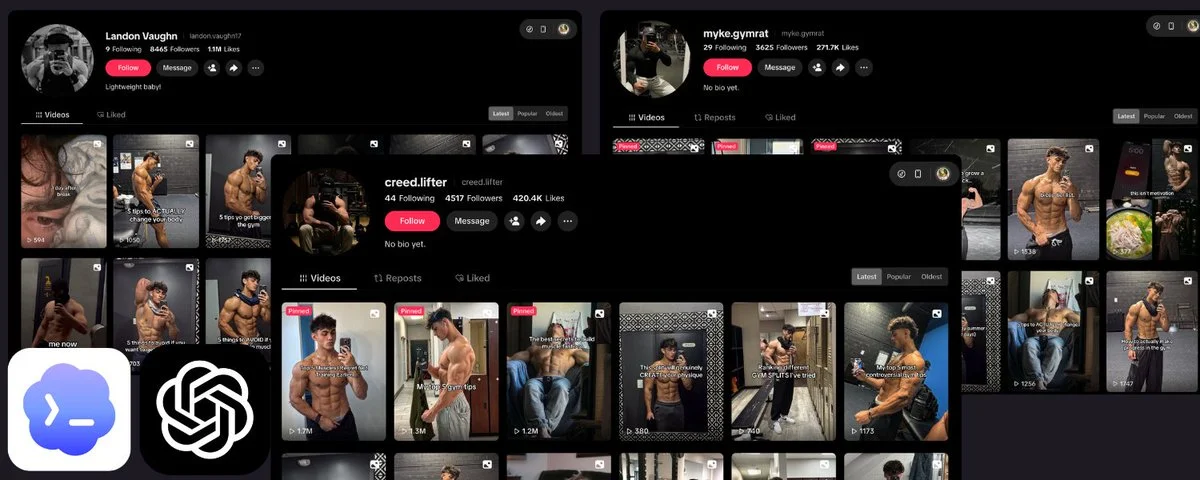
Currently, TikTok is heavily boosting views and engagement for slideshows, you can check out these channels.


And actually, most images from Pinterest especially the top ones come from AI-generated influencer avatars. It’s basically an endless source of content, so there’s no need to overuse AI image generation at all. The cost is practically $0, and it’s often easier to go viral compared to fully AI-generated images.

This is the full pipeline. No fluff, no "10x your content" nonsense. Just the exact setup that's posting 30-50 slideshows a day across my accounts while I sleep.
Here's what you'll learn:
- How to steal viral slideshow formats without getting flagged for plagiarism
- Why GPT-5.5 in Codex is the unlock for reverse-engineering slide structures
- How to use ChatGPT Images 2.0 to generate entire 8-slide decks with character continuity
- How to combine Pinterest scraping with AI generation to cut costs by ~85%
- Self-hosting Postiz to schedule to 50+ TikTok accounts without getting bans
- Full Node.js code for the compositor + BullMQ queue you can run in Codex today
Let's go.
Why TikTok slideshows, and why now
Video requires editing, UGC actors, b-roll, captions, music sync. It's expensive and slow.
Slideshows need 5-10 images, a hook, and a CTA. That's it. The algorithm treats them like videos, and on average my slideshow posts out-perform my video posts by 3-4x on reach, with maybe 10% of the production effort.
The bottleneck used to be:
- Finding formats that work (scrolling, saving, manually reverse-engineering)
- Generating on-brand images with consistent text and style
- Cost of generating 7-8 AI images per post at scale
- Posting at scale without bans
GPT-5.5 solves #1. Images 2.0 solves #2. Pinterest hybrid strategy solves #3. Postiz solves #4.
The viral format copy strategy (the legal, ethical version)
Before any tooling, understand this: you're not copying content, you're copying structure.
A viral slideshow has three layers:
- The format: hook slide, setup, payoff, CTA. This is the skeleton.
- The visual language: fonts, layout, color treatment, image style.
- The content: the actual topic, niche, and message.
Layer 1 is free to copy. Nobody owns "curiosity gap hook, 5 points, save this." That's just copywriting. Layer 2 you adapt. Same general structure (big text on image), different fonts and colors for your brand. Layer 3 is yours. Original topics in your niche.
Do this wrong and you get ratio'd. Do it right and you ride the algorithm wave that's already proven to convert.
The scraping step
I pull the top 20-50 performing slideshows in my niche from the past 30 days. Save them to a folder with screenshots of each slide. A VA on Fiverr for $5 gets you 100 examples in an afternoon.
What matters is you have the visual reference set.
The Pinterest parallel step
At the same time I'm scraping TikTok slideshows for format, I'm building a Pinterest image library for the actual visuals.
Pinterest is where aesthetic goes to die and get curated. Scrape 500-1000 images per aesthetic (anime RPG, dark moody fitness, minimal finance, etc.), tag them by mood/color/subject, store in Supabase Storage.
Cost: zero. Quality: often better than AI because humans already curated them.
This is the key cost-cutting move I'll come back to in Step 3.
Step 1: Reverse-engineer the format with GPT-5.5 in Codex
This is where GPT-5.5 becomes a different animal than previous models.
The new GPT-5.5 in Codex has native computer-use capabilities and vision. You can drop 10 slideshow screenshots into Codex and it will analyze structure, extract the templating pattern, and output a reusable schema.
Here's the exact prompt I use in Codex:
I'm attaching 10 screenshots from a viral TikTok slideshow. Analyze the structure and extract:
1. The hook pattern (slide 1 only): emotional trigger + curiosity gap 2. The payoff pattern (middle slides): content delivery structure 3. The CTA pattern (final slide): action request 4. Visual layout: text placement, image-to-text ratio, font weight 5. Pacing: how information is dripped across slides
Output as a JSON schema I can feed into an image generation pipeline. Fields must include: slide_number, role, text_template, visual_style_notes, image_prompt_template.
What I get back is a structured JSON like:
This section contains content that couldn't be loaded. View on X
This schema is the asset. Save it with a name like fitness_curiosity_v1.json and reuse it forever. Build up a library of 20-30 of these and you've got infinite content variations.
The reason GPT-5.5 beats 5.4 here: it actually reasons across the whole slideshow instead of describing each slide in isolation. It catches the narrative arc.
Step 2: Hybrid image strategy (Images 2.0 + Pinterest)
This is the biggest cost optimization in the whole pipeline.
The naive approach (too expensive)
ChatGPT Images 2.0 can generate 8 images from a single prompt with character and object continuity. This is genuinely game-changing. Previously a 7-slide deck meant 7 separate prompts and your "main character" would shift across every slide.
But at high quality, generating a 7-slide deck costs $0.70-1.00. At 30 slideshows/day that's $600-900/month.
The hybrid approach (cost killer)
Break the slideshow into roles and use the right tool for each:
- Slide 1 (hook) = Images 2.0 generate. Needs custom scene exactly matching the topic. Worth the spend.
- Slides 2-6 (payoff/content) = Pinterest image from library, matched by tags. Composite text overlay locally with Sharp/Canvas.
- Slide 7 (CTA) = Pinterest image or reused template background.
Result: 1 AI image + 6 Pinterest images instead of 7 AI images.
Cost drops from ~$1.00/slideshow to ~$0.15/slideshow. At 30/day that's $135/month instead of $900/month.
Visual quality actually improves in most cases because Pinterest has been human-curated for aesthetic appeal.
Pinterest caveats
- Avoid images with recognizable public figures or brand watermarks
- Crop + color grade locally to keep consistent brand palette across slides
- Rotate library aggressively. Don't use the same image in 10 different posts
- Tag aggressively when scraping so your matcher can pick the right mood per slide
When to still use Images 2.0 for middle slides
For Vietnamese content specifically, Images 2.0 text rendering for Vietnamese diacritics (ở, ữ, ế) is genuinely good for the first time. If your slideshow needs text rendered into the image (not composited on top), use AI. For everything else, Pinterest + local text overlay wins.
Step 3: Text compositor (Sharp + Canvas API)
This is the layer that makes Pinterest images look like branded TikTok slides. Full Node.js code, runs in Codex CLI.
Install
This section contains content that couldn't be loaded. View on X
Use @napi-rs/canvas instead of canvas. No cairo/pango system deps, Docker/Railway deploys cleanly.
compositor.js
This section contains content that couldn't be loaded. View on X
Step 4: Post queue (BullMQ + Redis)
This is what chains compositor to Postiz with retry/rate-limit logic.
queue.js
This section contains content that couldn't be loaded. View on X
.env
This section contains content that couldn't be loaded. View on X
Run
This section contains content that couldn't be loaded. View on X
Gotchas fixed in this code
- Vietnamese text: uncomment GlobalFonts.registerFromPath with Be Vietnam Pro or Inter font
- Text stroke: rendered before fill so outline doesn't overlap glyphs
- Rate limit: limiter: { max: 10, duration: 60_000 } on post worker prevents TikTok API ban
- Memory: concurrency: 2 on compositor because Sharp is memory-heavy. Bump up on stronger servers
- Retry: composite 3 attempts, post 5 attempts with exponential backoff (network reality)
Step 5: Postiz for posting at scale
Postiz is the self-hosted social scheduler that integrates with TikTok's Content Posting API.
Why Postiz over alternatives:
- Open source, you control the stack, no per-seat pricing
- Multi-tenant, run 50+ TikTok accounts from one instance
- Official TikTok Content Posting API integration. Unofficial posting gets you banned
- Has a working API the queue above calls into
Deploy on Railway or Coolify. Sub-$20/month self-hosting. Connect TikTok business accounts (Content Posting API approval takes 1-3 weeks).
Scaling rules
- 3-5 posts per account per day: sweet spot for reach without rate limits
- Minimum 2-3 hours between posts on the same account
- Stagger across accounts. Don't fire 50 posts at the same minute
For more aggressive posting you need multiple accounts or the iPhone farm route (physical devices), which is a whole different rabbit hole.
Step 6: GPT-5.5 orchestration tying it all together
Architecture:
This section contains content that couldn't be loaded. View on X
A single Codex prompt to kick it off:
Using the fitness niche config and curiosity_ranked_list_v1 format: 1. Generate 5 fresh topic ideas not used in the last 30 days 2. For each, fill the slide template with on-brand copy 3. For slide 1, generate prompt and queue Images 2.0 generation 4. For slides 2-7, query Pinterest library by tags and pick matches 5. Queue everything in BullMQ pipeline 6. Schedule posts via Postiz to 3 active fitness accounts, spaced 4 hours apart
GPT-5.5 in Codex reliably completes this end-to-end. Previous models dropped context past 3-4 chained operations.
Caveat: GPT-5.5 isn't available via API key auth yet. Only Codex app, CLI, and IDE extension via ChatGPT subscription. For fully autonomous pipeline use GPT-5.4 via API until the rollout. I run orchestration in Codex CLI via cron.
The full loop, end-to-end
What happens when cron fires at 2am ICT:
- Job pulls active niches from Postgres
- For each niche, GPT-5.5 (via Codex CLI exec) generates 5 slideshow topics
- Each topic creates a BullMQ job
- Image worker: 1 call to Images 2.0 for slide 1, 6 queries to Pinterest library for rest
- Compositor worker overlays branded text on every image
- Finished slideshow posted to Postiz queue
- Postiz spaces TikTok Content Posting API calls throughout the day
- By 8am, 15-20 fresh slideshows scheduled across accounts for next 24 hours
What this does NOT solve
Being honest about limitations:
- Originality: if your niche is oversaturated with AI slideshows, you look like everyone else. The moat is niche selection and format variation, not volume.
- TikTok bans: follow API limits, don't stuff hashtags, don't repost identical content across accounts. Two of my accounts got shadowbanned in 6 months, both from hashtag greed.
- Monetization: slideshow views don't convert like videos. You need a funnel (slideshow, bio link, landing page, product). Without the funnel, vanity metrics only.
Also plainly: this workflow is optimized for scale, not deeply personal brand building. If your goal is authentic long-term audience connection, the AI-generated slideshow route works against you. Match the tool to the goal.
The takeaway
Six months ago this pipeline was theoretically possible but practically broken. Image models couldn't do text, couldn't maintain continuity, and automation required stitching 5 APIs together.
GPT-5.5 made the orchestration reliable. Images 2.0 made visual output production-ready. Pinterest scraping made it affordable. Postiz filled the posting gap.
Build the format library first, the Pinterest library second, the compositor + queue third, the orchestrator last. Don't skip steps. Don't try to go from zero to 50 accounts in a week.
The code above runs in Codex today. Copy it, adapt it, ship it.
Good luck guys 🫡