There is a marketplace with millions of users and almost no competition.
Save this :)
The Claude plugin ecosystem launched in early 2026. There are already 15+ verified plugins available at claude.com/plugins. Millions of Claude users are looking for ways to get more from the tool they already use daily.
And the number of people actually building plugins? Almost nobody.
That supply-demand imbalance is the definition of an opportunity.
A Claude plugin is a pre-built bundle of capabilities for a specific role or workflow. Product managers, marketers, finance professionals, recruiters, legal teams - each one can have a dedicated plugin that transforms Claude from a general assistant into a specialized tool for their exact job.
You build it once. You sell it to everyone who needs it. That is passive income in the truest sense.
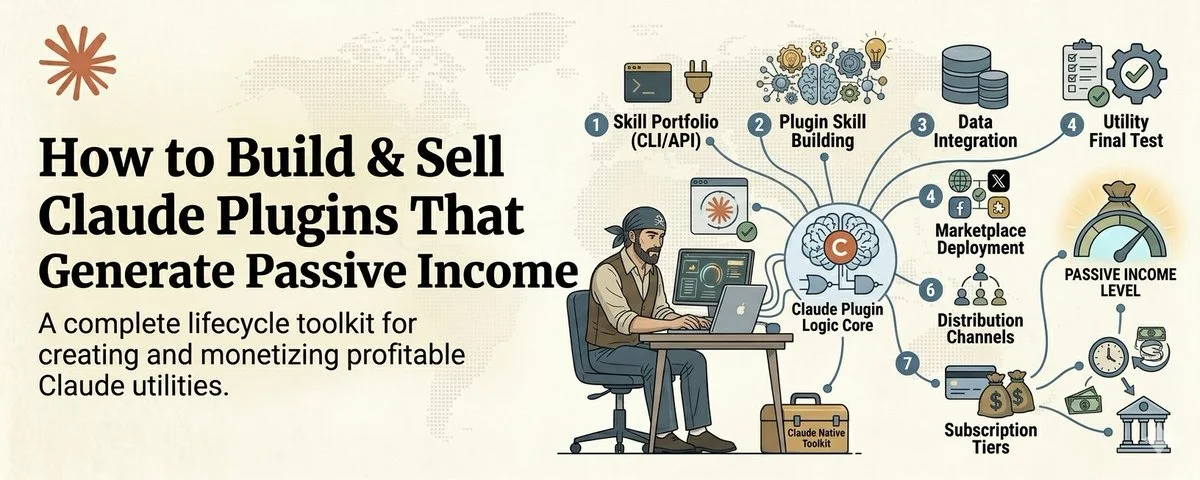
This course shows you how to design, build, test, and sell Claude plugins. From idea to revenue.
What a Plugin Actually Is
A Claude plugin is a package that combines Claude Skills, slash commands, reference files, and workflow templates into a single installable bundle designed for a specific role.
Think of it like a professional toolkit. A marketing plugin might include:
A /content-brief command that generates a comprehensive content brief from a topic and audience description. A /seo-audit command that analyzes a URL and produces an SEO report. A /repurpose command that takes one piece of content and produces five platform-specific versions. A /competitor-scan command that researches a competitor's content strategy.
Each command triggers a specific Skill with pre-configured instructions, output formats, and quality standards. The user types the command, provides their input, and gets polished, reliable output every time.
The user does not need to write any prompts. They just use the commands. The prompting expertise is built into the plugin. That is the value proposition - your prompt engineering skill, packaged and sold as a product.
Step 1: Choose Your Niche (Week 1)
The best plugins solve specific problems for specific roles. Do not build a "general productivity" plugin. Build a plugin for product managers, or recruiters, or real estate agents, or e-commerce sellers.
How to choose:
Pick a role you understand deeply - ideally one you have worked in yourself or closely with. The insider knowledge of what that role actually struggles with daily is your competitive advantage.
Then identify the 5 to 8 tasks that role does repeatedly:
For product managers: writing PRDs, competitive analysis, feature prioritization, user story creation, launch planning, stakeholder updates, metrics dashboards, roadmap communication.
For recruiters: writing job descriptions, screening resumes, generating interview questions, drafting candidate outreach, writing rejection emails, creating offer letters, analyzing hiring pipelines.
For content marketers: research briefs, content calendars, first drafts, SEO optimization, repurposing, performance analysis, competitive content tracking, email campaigns.
Each of these tasks becomes a slash command in your plugin. Five to eight commands is the sweet spot - enough to justify the purchase, not so many that the plugin feels overwhelming.
Step 2: Design the Commands (Week 1 to 2)
For each command, define:
The trigger: What the user types. /content-brief, /screen-resume, /write-prd. Short, memorable, descriptive.
The inputs: What information the user provides. A topic, a URL, a candidate resume, project requirements. Minimize what you ask for - the less the user has to input, the more they will use the command.
The output: What the command produces. A formatted brief, a scored evaluation, a complete document. Define the exact format, structure, length, and quality standards.
The workflow: The step-by-step process the Skill follows to transform input into output. This is where your expertise lives - the methodology that makes the output genuinely valuable, not just generic AI text.
Design all commands on paper before building any of them. Map out how they connect - does the output of one command feed into another? Can commands be chained together for a complete workflow?
For example, a marketing plugin workflow: /research [topic] → /content-brief (using research output) → /first-draft (using brief) → /seo-check (using draft) → /repurpose (using final article). The user flows through their entire content process using your commands.
Step 3: Build the Skills (Weeks 2 to 3)
Each command is powered by a Claude Skill - a SKILL.md file with YAML triggers, step-by-step instructions, output format specifications, and examples.
Building each Skill:
Write the YAML trigger header with a pushy description that lists specific trigger phrases. Write the workflow as numbered, imperative steps. Define the output format explicitly - structure, length, tone, formatting. Include at least two examples - one normal case, one edge case. Add negative constraints - what the output should never include.
Test each Skill individually with 10 different inputs. Refine until the output is consistently excellent. Not "good enough." Excellent. Users are paying for this. The quality bar must be higher than anything they could produce by prompting Claude themselves.
The quality standard: If a user could achieve the same result by spending 5 minutes writing their own prompt, your Skill is not valuable enough. Your Skill should produce output that would take them 20 to 30 minutes of careful prompting to achieve on their own.
Step 4: Package as a Plugin (Week 3)
Organize your Skills into a plugin folder structure:
This section contains content that couldn't be loaded. View on X
The README is critical. It must clearly explain what the plugin does, who it is for, what each command does, and how to get started. Most users decide whether a plugin is worth keeping within the first five minutes. A clear README ensures those five minutes are productive.
Step 5: Test With Real Users (Week 4)
Give your plugin to five to ten people who actually work in your target role. Not friends who will be nice. Real professionals who will judge the output against their actual work standards.
Watch them use it. Note where they get confused. Note which commands they use most. Note which outputs they edit heavily (indicating the Skill needs improvement) and which they use as-is (indicating the Skill nails it).
The feedback from real users will reveal issues you never anticipated. Maybe the resume screener does not handle non-traditional career paths well. Maybe the content brief is too long for their workflow. Maybe they need a command you did not include.
Fix everything. Then test again with five new users. Repeat until the feedback is consistently positive.
Step 6: Launch and Sell (Week 5 and Beyond)
Pricing your plugin:
One-time purchase: $49 to $149 for the complete plugin. This is the simplest model. Users pay once and get all commands.
Subscription: $9 to $29 per month for the plugin plus ongoing updates, new commands, and refinement based on user feedback. This generates recurring revenue but requires ongoing work.
Freemium: Two to three commands free, full suite requires payment. This lets users experience the quality before committing. Conversion rates are typically higher because the free commands build trust.
Where to sell:
The Claude plugin marketplace at claude.com/plugins. This is the primary distribution channel - millions of Claude users browsing for plugins.
Your own website. Build a simple landing page that demonstrates each command with before-and-after examples. Drive traffic through content marketing in your niche.
Niche communities. Post in communities where your target role spends time. Not a sales pitch - a demonstration. Show the plugin in action. Let the quality make the sale.
Launch content:
Write a thread or article that demonstrates the plugin solving a real problem for your target role. Show the input, the command, and the output. Make the value instantly visible.
Record a short video walking through each command. People want to see the plugin in action before buying.
Create a free sample - let people try two to three commands before purchasing. The quality of the free commands sells the paid ones.
Scaling: From One Plugin to a Portfolio
Your first plugin establishes the model. Your second and third multiply the revenue.
Build plugins for adjacent roles. If your first plugin is for product managers, your second might be for engineering managers, your third for UX researchers. These roles often work together and will cross-recommend plugins.
Build plugins for adjacent workflows. If your first plugin handles content creation, your second might handle content distribution, and your third might handle content analytics. The same user buys all three.
Collect feedback religiously. Every piece of user feedback is a potential improvement. Update your plugins monthly. Users who see regular improvements become loyal customers and recommenders.
Build in public. Share your plugin development process on X and LinkedIn. Show what you are building, what user feedback you received, and how you are improving. This builds an audience that converts directly into customers.
The Revenue Math
Let me run realistic numbers.
A plugin priced at $79 one-time purchase. You sell 20 copies in month one through launch marketing. 30 copies in month two through word of mouth and content marketing. 40 copies per month from month three onward as reviews and recommendations compound.
Month 1: $1,580. Month 2: $2,370. Month 3 onward: $3,160+ per month.
By month six, one plugin generates $15,000 to $20,000 in cumulative revenue.
Build three plugins over six months. Each one generates $3,000 per month. Total: $9,000 per month in largely passive income from products you built once and update monthly.
These numbers are conservative. Top plugins in established ecosystems (Notion, Obsidian, WordPress) sell thousands of copies. The Claude ecosystem is earlier and growing faster.
The key variable is quality. The plugins that sell are the ones that produce genuinely excellent output. The ones that do not sell are the ones that produce mediocre output users could achieve with their own prompting. Invest heavily in quality.
The Bottom Line
The Claude plugin marketplace is a new ecosystem with massive user demand and minimal competition.
You design commands for a specific role. You build Skills that produce expert-level output. You package them into a plugin. You sell to the millions of Claude users who want to get more from the tool they already pay for.
Build once. Sell repeatedly. Update monthly. Let revenue compound.
The window for establishing yourself in a new marketplace does not stay open forever. The people who build the best plugins now will have the reviews, the reputation, and the market position that late entrants cannot replicate.
Start with one plugin. One niche. Five commands.
That is all it takes to build a product that earns while you sleep.
Follow me@eng_khairallah1 for more product strategies, plugin building guides, and AI monetization playbooks.
hope this was useful for you, Khairallah❤️