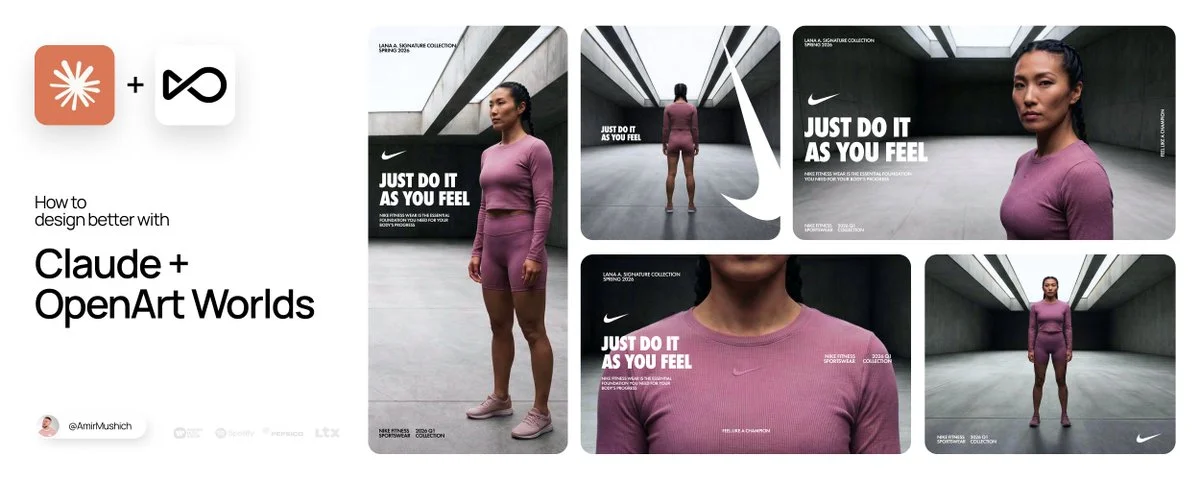
The Framework to build agency-grade design pipelines.
INTRO*
*This article is sponsored by@openart_ai. Thanks to the OpenArt team for supporting this post and my work for you.
For 10+ years, I’ve been working for big & small brands. From Warner Music & Kimberly Clark, to local coffee shops. Do you know what sets them apart?
Attention to details and control.
Now, we’re AI’ing everything - but what I hate about AI is the ILLUSION of control. 1000’s tools, daily overpromises... and 90% of them are useless for any commercial work.
Text prompts can’t handle complex visual storytelling (aka “campaigns”). You need more manageable tools.
LET’S BUILD A PIPELINE TO FIX THIS

In 2026, we need to leverage spatial workflows - for controlled visual production. Interiors, characters & cameras - must follow your ideas.
I will show you how to build strong workflows. Plus, you’re getting my Tokens Matrix (Notion Doc):a free system for total control over your AI generations.
The stack I use:
- Claude AI: For brainstorming & prompting
- Google Nano Banana: For scenes and objects.
- OpenArt Worlds: For building 3D environments from those scenes.
- OpenArt Characters: For integrating custom avatars into your worlds.
Save this article. Come back when you need these tips & assets.

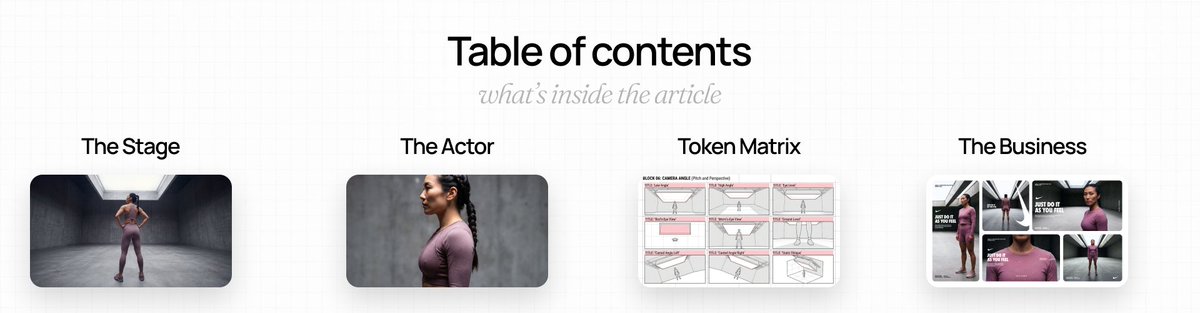
TABLE OF CONTENTS:
- The Stage: setting up your virtual studio
- The Actor:building a pro-grade character
- Token Matrix: become a pro-prompter with these tokens
- The Busines:turn your raw generations into commercial assets
1. THE STAGE: Preparing your location
Let’s prepare a base for the 3D world you will walk through.
I created 1000’s of visuals for companies, so let me share some knowledge:
MY WORKFLOW:
REFERENCE RESEARCH:Find a reference image of your desired environment 🔎 WHERE TO SEARCH: Pinterest, Savee.it, shotdeck.com, frameset.app, archdaily.com
🔎 WORDS TO SEARCH:
- Infinity cove; - Colored cyclorama studio; - Soundstage set design; - Limbo background lighting; - LED volume stage.
Find 30+ editorial requests in my Notion Doc: Link - at the end of the article👇
LLM PROMPTING: Deconstruct the image using LLMs to build a proper prompt: ▶️ Step 1: Upload your image to Claude ▶️ Step 2: Paste this prompt & run the model:
▶️ Step 3: You’ll get back the detailed prompt to generate your scene. Copy it & go to: https://amirmushich.link/OA-NB2
GENERATION: Paste your prompt & generate the environment using Nano Banana 2.
WORLD CREATION: Upload your generated image into OpenArt Worlds & hit Create World: https://amirmushich.link/OAWorlds The generation will take up to 5 minutes.
Watch the tutorial:

TIP:
Don’t add characters, text or branding elements here. Keep the space clean to avoid distortions.
🎁BONUS:
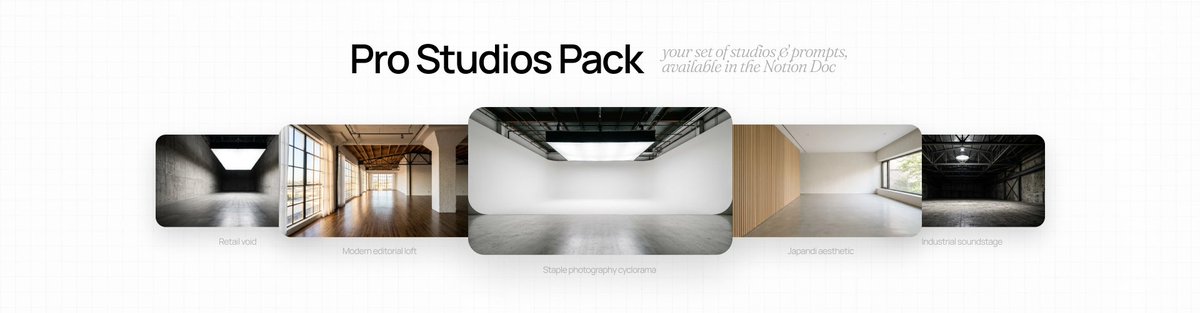
I prepared the pack of pro studio interiors + exact prompts. Download them for free at the end of this article (+prompts) 👇
2. THE ACTOR (creating characters)
For commercial campaigns, you need custom avatars that work consistently across any scene.
Images with people increase business metrics: ⤴️ 3x better ER (engagement rate) in Social Media ⤴️ 60% better eye-tracking ⤴️ 30%+ better click-through rate (CTR) in ads
So, let’s train the AI system with a custom Character Kit. AI can’t guess what your model’s shoes look like from behind. Let’s define it.
MY WORKFLOW:

1️⃣ REFERENCE HUNT:
Savee.itor Pinterest: Filter by high-end editorial boards Models.com: For clean casting shots Vogue Runway (www.vogue.com/fashion-shows): For high-end styling
🔎 WORDS TO SEARCH: - high-fashion street casting polaroid; - athletic sportswear editorial model full body; - minimalist activewear turnaround; - cinematic character portrait raw lighting.
2️⃣ LLM PROMPTING:
Let Claude do the heavy lifting & describe the model properly. ▶️ Step 1: Upload your chosen image to Claude ▶️ Step 2: Paste this prompt & run the model:
▶️ Step 3: You’ll get back the detailed prompt for your image generation. Copy it & go to: https://amirmushich.link/OA-NB2
3️⃣ GENERATION:
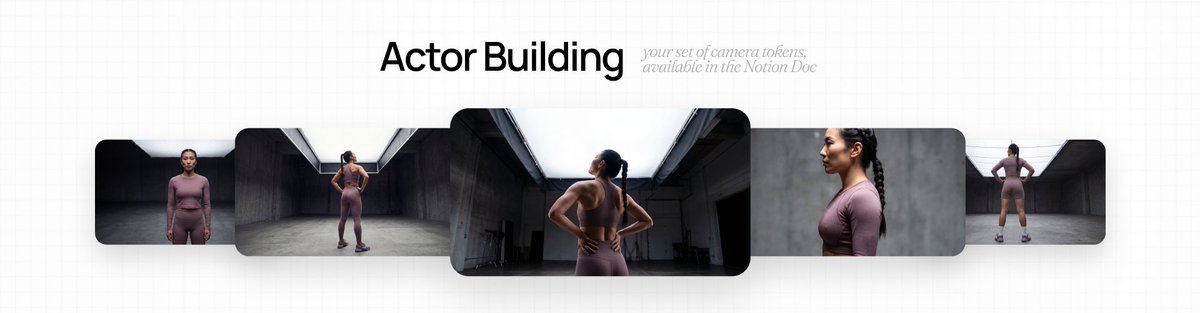
Take the prompt and paste it into Google Nano Banana. To build a robust model, generate 4 variations. Replace the[FRAMING & ANGLE]variable in your prompt with these 4 views: 1. Full Body shot, frontal view; 2. Bust Up Close-up portrait; 3. Strict Profile view; 4. From Behind (back view).
4️⃣ CHARACTER CREATION:
Let’s bring the talent to life inside the OpenArt ecosystem: - Go to OpenArt Characters (https://amirmushich.link/OA-Model) - Upload your set of 4 images. - The AI will synthesize them into a character ready to be added into your Environments. - Once created, give your character a name and add into your prompts & Worlds just by tagging it with “@”

These 4 camera tokens and 20+ others - is in my Notion Doc, too. Steal them at the end of the article 👇

3. TOKENS MATRIX
Your control panel to craft commercial shots on the agency level.
Writing paragraphs of descriptive text? Hell no! We’ll use the token-based system.
Plug thesetokensinto yourBase Prompt 01 below to control the:
- camera,
- kinetic energy,
- micro-expressions of your character.
Tutorial first, assets below 👇

BASE PROMPT 01 (FOR PRO SCENE GENERATIONS):
How to use: ▶️ Copy this prompt ▶️ Change [variables] with the tokens from my Matrix Doc (blocks 02-06) ▶️ Send the prompt to OpenArt Worlds prompt window (https://amirmushich.link/OAWorlds)
TOKENS:
Below is a preview of the Tokens Matrix Yeah, the full list of tokens is ALSO in the Notion Doc (I don't want you to miss it, so I have to bump this everywhere. No selling, I swear.🙃)
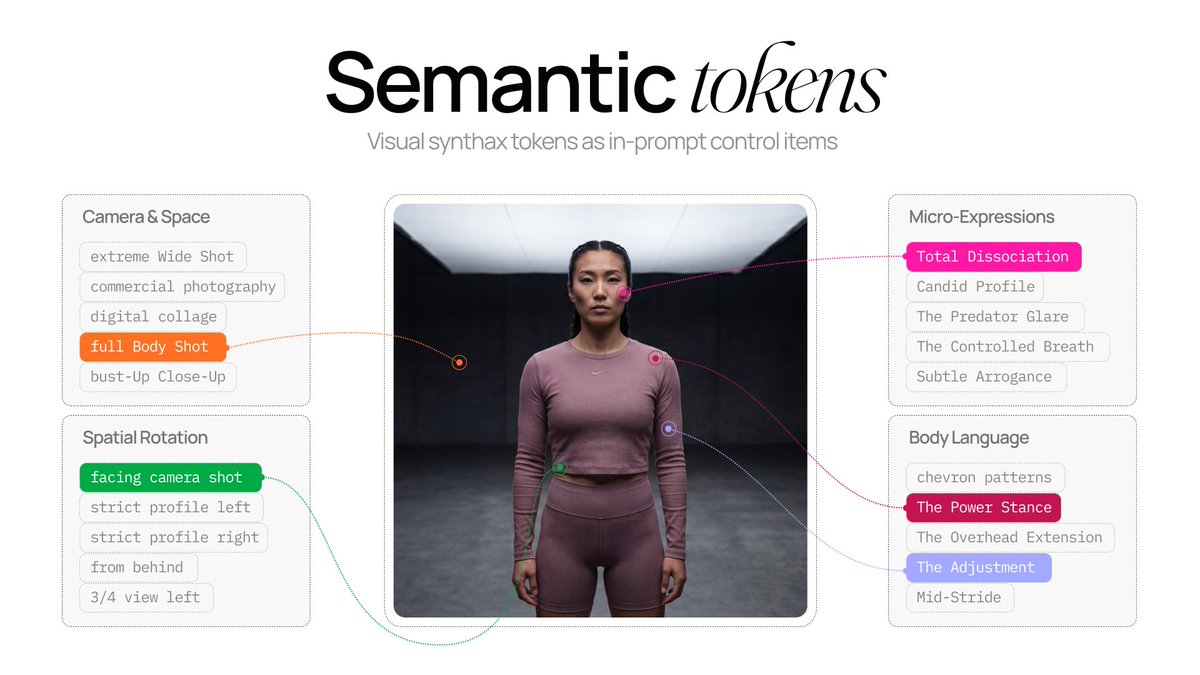
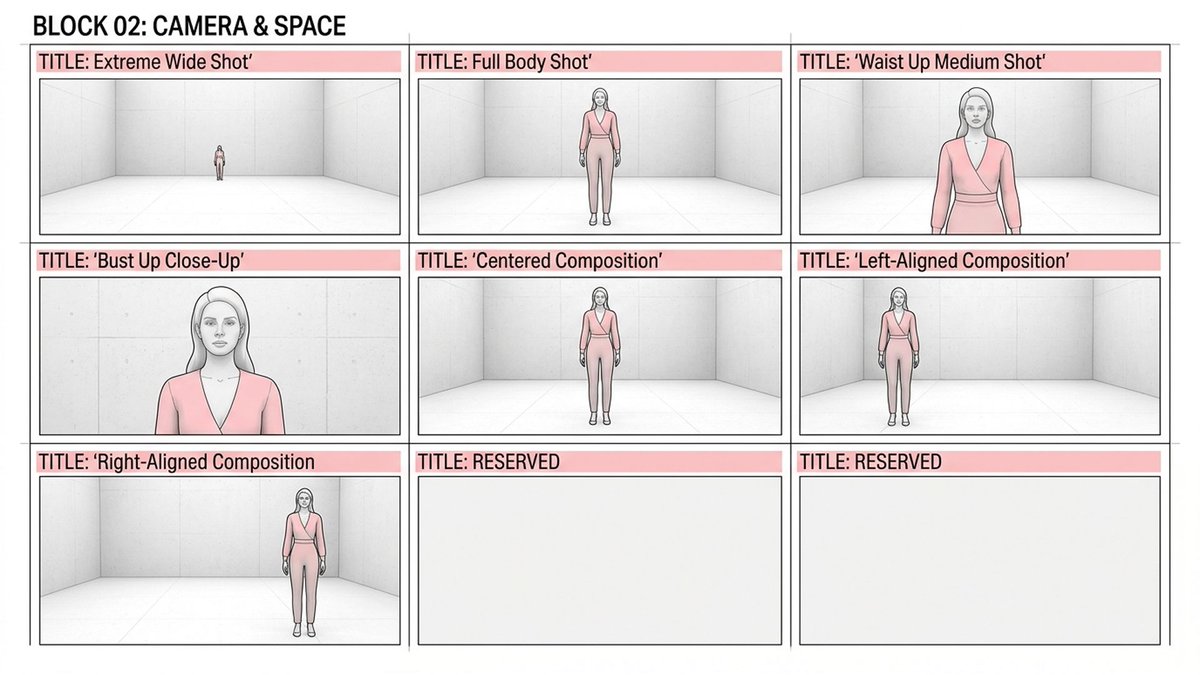
SECTION 1: Camera & Space
Control your framing and alignment with total precision.
TOKEN EXAMPLES:
[FRAMING]:Extreme Wide Shot: The widest view of the space. Full Body Shot: Full-length shot. Focus on the silhouette, outfit, and footwear.
[POSITION]Centered Composition: Perfect symmetry, with the subject strictly centered in the frame. Left-Aligned Composition: The subject is shifted to the lef..
60+ tokens - in my free Notion Doc 👇
SECTION 2: Spatial Rotation
Direct the model's exact angle relative to the lens.
TOKEN EXAMPLES:
[ROTATION]: Facing Camera: Direct frontal view. The face and torso are facing the camera. 3/4 View Left: Classic editorial pose with the torso turned 45 degrees to the left. Strict Profile Right: A sharp profile to the right.
More tokens - in my free Notion Doc 👇

SECTION 3: Kinetics & Body Language
No more default standing poses. Use editorial, dynamic posture tokens.
TOKEN EXAMPLES:
[ROTATION]: Power Stance: Feet shoulder-width apart, hands on hips. A confident, grounded pose. Overhead Extension: Arms extended vertically upward, torso stretched. Starting Block: A deep, athletic squat with weight distributed across the hands and feet.
More tokens - in my free Notion Doc 👇

SECTION 4: Micro-Expressions
High-end aesthetics demand controlled facial tension.
TOKEN EXAMPLES:
[EMOTION]: Fierce Focus: A narrowed gaze that pierces the lens. A firm, tense jawline. Subtle Arrogance: Chin slightly raised, cold, condescending gaze. Candid Profile: Gaze directed off-camera. The effect of a candid, authentic moment.
More tokens - in my free Notion Doc 👇

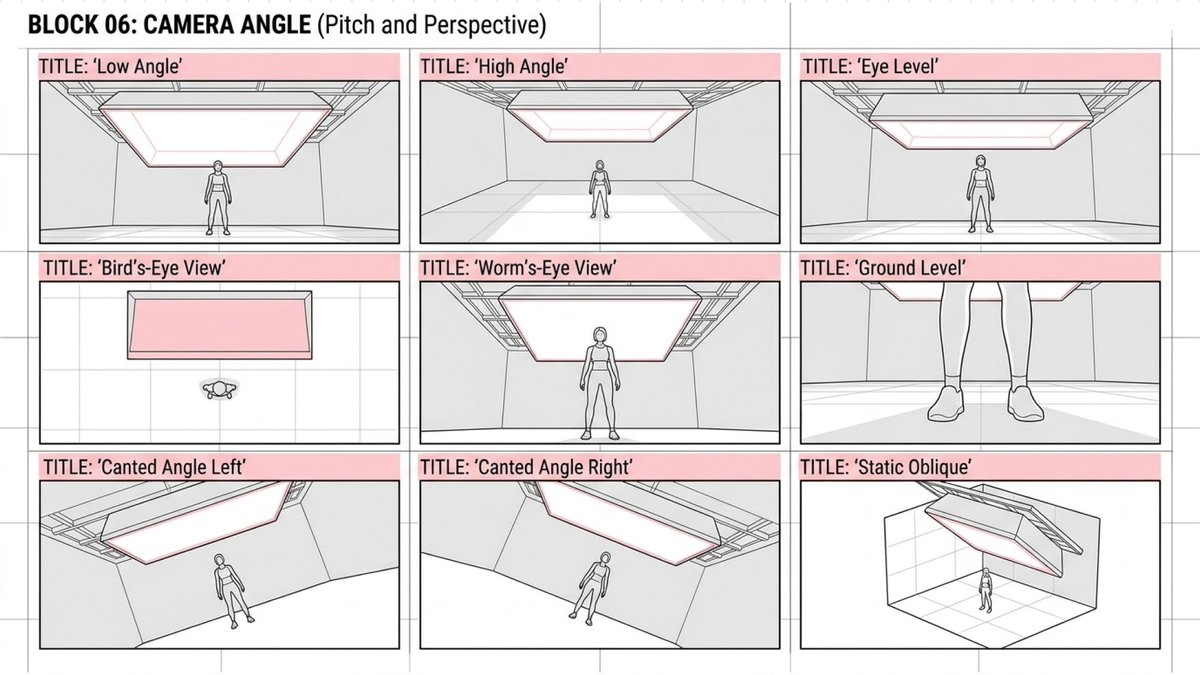
SECTION 5: Camera Angle
Control the virtual camera angles easily.
TOKEN EXAMPLES:
[ANGLE]: Bird’s-Eye View: Direct top-down view. Architectural shot of the space. Worm’s-Eye View: Extremely low angle from floor level. The character appears huge. Ground Level: The camera rests on the floor; sharp focus on feet and the floor texture.
More tokens - in my free Notion Doc 👇
4. BUSINESS SHIFT: Why this works?
The final asset. Raw AI renders → final designs:

👆I’ve included this Figma layout template in the Notion Doc below.
- download it,
- drop your OpenArt generations directly into the frames,
- and ship your beautiful campaign today.
I don’t care about AI models’ benchmarks.
I want solutions for my design work. Just like our clients.
2026 will be the ‘UI Battlefield’
(because AI models are already great enough 🤷♂️)
Spatial Calibration
is one of these specific UI-controllers that change the way we work:
- select the environment,
- place the character,
- move the camera,
- find the angle,
- take the shot.
All - in ~10-15 seconds.
This level of productivity is impossible via text prompting.
Practical utility & UI/UX dictate who wins now.
Done is better than perfect. With OpenArt’s Worlds you get things done 5-7 times faster.
TAKE ACTION TODAY:
- Grab my Notion Doc below.
- Use my free assets in your pipeline.
- Stand out in the market
GRAB YOUR FREE ASSETS HERE:
https://amirmushich.link/T-Matrix
I SHARE WORKFLOWS I USE MYSELF.
Save this article, come back when you need these tips.

Follow @AmirMushich for more free articles & workflows